Most corporate events do not fail because of a weak agenda, they fail because of avoidable technical issues. A microphone that keeps cutting out, a projector that will not connect, or Wi-Fi that cannot handle a live stream can derail even the best planned seminar or conference. The tricky part is that AV needs vary a lot depending on your event format, and many organizers either over invest in equipment they do not need or under prepare for something critical. This guide breaks down exactly what AV setup different types of corporate events actually require, so you can plan with clarity instead of guesswork. Venues such as Emerald Hall that offer in house AV support can also take a lot of this planning off your plate.
Why AV Setup Can Make or Break a Corporate Event
Audio visual equipment is not just a technical detail, it directly shapes how your audience experiences the event. Poor sound quality makes it hard for attendees to stay engaged, unclear visuals undermine your presentation content, and connectivity issues can completely derail a hybrid or live streamed session. Getting the AV setup right is just as important as getting the venue, catering, or guest list right, yet it is often the last thing organizers think about.
Core AV Equipment Every Corporate Event Needs
While requirements vary by event size and format, these are the building blocks most corporate events rely on in some combination.
1. Microphones and Audio System
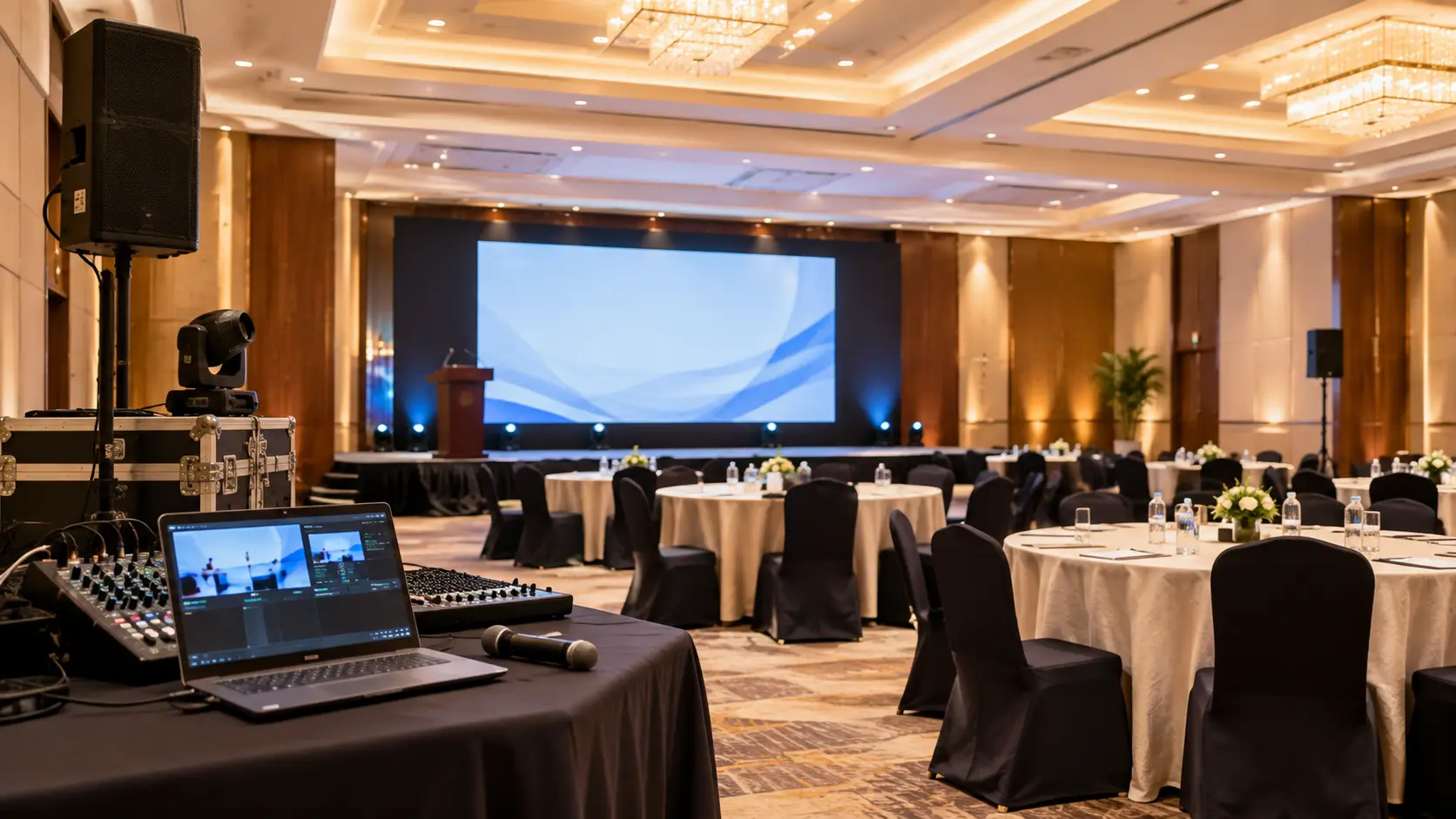
A handheld or lapel microphone works for a single speaker, but panel discussions or Q&A sessions usually need multiple microphones and a mixer to manage audio levels cleanly. For larger rooms, confirm that the sound system can cover the full space evenly without dead zones near the back.
2. Projector or LED Screen
Standard projectors work well for most presentations, but brighter rooms or larger audiences often benefit from an LED screen for sharper visibility. Check the resolution and brightness rating, especially if your venue has natural light coming in during the day.
3. Lighting Setup
Good lighting keeps the room visible for both attendees and cameras if you are recording the event. For panel discussions or keynote sessions, consider stage lighting that highlights the speaker without creating harsh shadows or glare on screens.
4. Reliable Internet and Wi-Fi Bandwidth
If your event includes live polling, streaming, or hybrid attendees joining remotely, bandwidth becomes critical. Ask the venue for their actual upload speed, not just download speed, since streaming quality depends heavily on upload capacity.
5. Recording and Live Streaming Equipment
If you plan to record sessions for later use or stream to a remote audience, confirm whether the venue provides camera equipment and streaming software, or if you need to bring in an external production team. This is one of the most commonly underestimated requirements for hybrid events.
6. Power Backup
A power outage mid presentation can be disastrous, especially during a live stream. Confirm that your venue has reliable backup power for AV equipment specifically, not just general lighting, since equipment loads draw differently.
AV Needs by Event Type
Different formats call for different priorities. Use this as a quick reference while planning your specific event.
| Event Type | Priority AV Requirements |
|---|---|
| Seminar or training session | Single microphone, projector, basic sound system |
| Panel discussion | Multiple microphones, mixer, stage lighting |
| Product launch | LED screen, professional lighting, sound system, recording setup |
| Hybrid or live streamed conference | High bandwidth internet, camera setup, streaming software, backup power |
| Workshop with breakout sessions | Multiple smaller AV setups across breakout rooms |
Quick tip: Always request a test run of the full AV setup at least a day before your event, not just on the morning of. This gives you enough time to fix any issues without adding pressure right before attendees arrive.
Questions to Ask Your Venue About AV Support
Before finalizing a venue for your corporate event, get clear answers on a few key points. Ask whether AV equipment is included in the venue rental or billed separately, and get an itemized breakdown either way. Confirm if a technical support person will be present on site during your event, since equipment issues are far easier to resolve with someone experienced on hand. Ask about the venue’s actual internet speed, tested rather than advertised, and whether backup equipment is available in case something fails during the event.
Why Emerald Hall Covers Your AV Needs
Emerald Hall offers in house audiovisual equipment suited to seminars, panel discussions, and product launches, along with dependable Wi-Fi that supports hybrid and live streamed formats. The venue’s events team assists with setup and provides on site support during your event, which takes a significant amount of technical pressure off your team. You can view the space and its AV setup on the corporate event page, or get in touch through the contact page to discuss your specific requirements before booking.
Planning a Corporate Event in Pune?
Talk to the Emerald Hall team about your AV requirements before you finalize your venue.
Discuss Your AV NeedsFrequently Asked Questions
Do small seminars really need a full AV setup?
Not always. A single microphone, a projector, and a basic sound system are usually enough for smaller seminars. Full AV setups with multiple microphones and stage lighting are more relevant for larger panel discussions or product launches.
What internet speed is needed for a live streamed corporate event?
This depends on your streaming quality, but a stable upload speed of at least 10 to 15 Mbps is generally recommended for smooth HD streaming. Always test the actual speed on site rather than relying on advertised numbers.
Should I hire an external AV team or rely on the venue’s equipment?
If the venue offers reliable in house AV support with on site technical staff, that is often more convenient and cost effective. For highly specialized events like large product launches, an external production team may still be worth considering.
What is the biggest AV mistake corporate event organizers make?
Skipping a full equipment test before the event day is one of the most common mistakes. Testing microphones, projectors, and internet connectivity a day in advance allows time to fix issues without last minute panic.
Is backup power necessary for a corporate event with AV equipment?
Yes, especially for events involving live streaming, recording, or presentations that rely heavily on projectors and microphones. A power outage without backup can disrupt the entire event.
Does Emerald Hall provide technical support during corporate events?
Yes, Emerald Hall’s events team assists with AV setup and provides on site support during the event, helping resolve any technical issues quickly.